Can We Transfer Money from eSewa to Khalti? Enable Fast Send Money and Bank Transaction

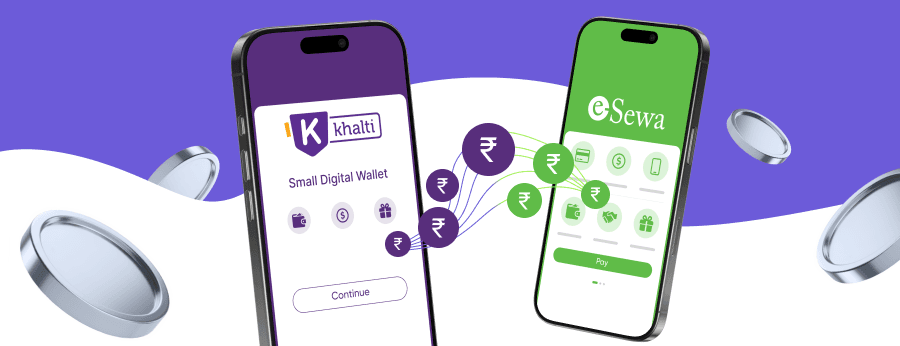
Many Nepali digital wallet users often ask whether the two most widely used wallets in the country can transfer money between one another. This guide will explain transfer options, the steps for using a bank as an intermediary, related transaction fees, and security requirements.
Understanding eSewa and Khalti Wallet Ecosystem in Nepal
In Nepal's digital payment market, the two leading platforms eSewa and Khalti hold a dominant position but operate independently. Sorting out the functions, limitations, and banking connectivity of these two platforms is essential to achieving efficient capital management. In subsequent sections, we will explore the role of mobile banking apps and the common reasons for cross-wallet fund transfers.
The Role of Mobile Banking App in Nepalese Finance.
Nepal’s digital payment landscape has grown rapidly, with eSewa and Khalti emerging as the leading digital wallets. For a deeper understanding of how such platforms function, you can read our dedicated guide on what is an e-wallet. Various digital payment apps support bill payment, mobile phone credit top-up, and daily cashless consumption. Local banks’ mobile banking services fill functional gaps by linking up user accounts, and together with eSewa and Khalti, they build a secure and efficient digital financial ecosystem that helps users manage their personal finances through digital means
Accept eSewa & Khalti via One Gateway
Why You Might Need to Transfer Money from eSewa to Khalti.
In Nepal, many users who hold balances in eSewa, a local Nepali digital wallet, often encounter scenarios where they can only complete payments using another digital wallet, Khalti. A number of utility bills and exclusive offers are restricted to use with only one specific wallet, and Khalti also offers far more generous cashback for mobile phone top-ups. This has spurred demand for cross-wallet balance transfers.
Many merchants in Nepal rely on Khalti payment gateway to accept digital payments, which may explain why some services are only available there. Transferring the funds between eSewa and Khalti allows users to take advantage of promotions and avoid leaving money idle in one app. This convenience makes money transfer between wallets a highly requested feature.
Step-by-Step: How to Transfer Money from eSewa to Khalti Account
Direct transfer between eSewa and Khalti is not available, but you can use a bank account as an intermediary. The process involves withdrawing from eSewa to your bank, then loading from the bank to Khalti.
Using Bank Transfer as a Bridge for Money Transfer.
Currently, transfer money from eSewa directly to Khalti is not supported. However, you can send money via a bank account as an intermediary. Follow these steps:
Withdraw from eSewa to your bank account
After logging into the eSewa application, navigate to the "Withdraw" or "Send Money to Bank" feature. Verify your balance, enter the amount, select your linked bank account, and enter your PIN. Funds are typically credited within several hours or by the next business day.
Check your bank account
Once the funds appear in your bank account, log into your mobile banking app or internet banking. Ensure the transfer was successfully processed and the balance reflects the new transaction.
Load money from bank to Khalti wallet
Open the Khalti application, select "Add Money," and choose the "Bank Transfer" method. Enter an amount within the daily limit, select your linked bank to confirm, and the funds will be credited instantly or within a few minutes.
To complete a fund transfer from the eSewa e-wallet to Khalti, a bank must be used as an intermediary. Users must hold a bank account linked to both of these e-wallets, and both e-wallets must have completed compliance verification to avoid transfer delays.
Can We Directly Send Money from eSewa to Khalti?
Currently, Nepal’s two major e-wallets, eSewa and Khalti, have not launched an official cross-platform direct transfer function. The root cause of this situation is that local payment regulatory policies do not yet allow different e-wallet service providers to roll out this service. All third-party intermediaries that claim to be able to bridge this gap not only pose security risks but also charge extra fees, so bank transfers remain the only reliable method for cross-wallet fund transfers at present. For a broader perspective on digital payment processing in the country, you may want to review information on the payment gateway in Nepal.
Fees, Limits, and Security of Your Nepalese Wallet
Understanding the costs and safety measures associated with moving money between wallets is crucial. Below we analyse transaction fees, daily limits, and best practices for secure transfers.
Transaction Charges for Bank Transfer and Wallet Loading.
Nepal’s local digital wallets eSewa and Khalti generally operate under different bank interaction rules: eSewa charges a service fee of 1% or a fixed amount in Nepalese Rupees (NPR) for bank withdrawals, with its fee rate adjusted based on the withdrawal amount; Khalti may incur fees when users top up their wallets from bank accounts, and users transferring funds via the banking system are required to pay two separate fees. Identity-verified eSewa users have a maximum single-transaction limit of 100,000 NPR, while the limit for new Khalti accounts is even lower.
Users are advised to first check the latest rules on the official app, and can merge small-value transfers to cut their overall costs. For merchants accepting such payments, integrating local payment methods like eSewa and Khalti through a unified system can streamline operations and reduce fees.
How to Securely Withdraw and Transfer Money from eSewa.
The handling of digital funds must take security as its core. eSewa adopts SMS OTP plus PIN verification, while Khalti uses PIN plus device verification. The following text will explain the operational procedures for secure fund transfers and withdrawals:
Never share your PIN or OTP
This is the most critical security rule. Your One-Time Password and PIN are for your eyes only; bank employees will never ask for them.
Use official apps
Download only from trusted platforms like Google Play or the Apple Store to ensure the software hasn't been tampered with.
Monitor history
Check your transaction history regularly to spot and report any unauthorized or suspicious activity immediately.
Action on stalled transactions
If a transaction stalls, contact official customer service immediately. Most such issues are resolved within 24 hours.
Online Payment Company #1
Online payment solutions for all types of businesses since 2019


