How to Send a Payment Link to a Customer


How to send a payment link to a customer is a question that often appears for business that need to collect payment quickly and without a complex checkout. The answer is simple: business creates secure payment link in dashboard payment provider, checks payment amount and payment details, copies URL and sends it to customer by email, SMS, messenger, invoice, CRM or through QR code. In this guide, we will show how to create and share payment links and collect payments without a website.
Get Paid Faster with One-Click Payment Links
What is a payment link?
Payment link is a unique URL that leads customer to hosted payment page for paying a specific invoice, order, service or deposit. Pay by link is a synonym. Payment link allows accept payments without a full checkout on the website. Business creates payment request, adds amount and reference, then sends it to customer.
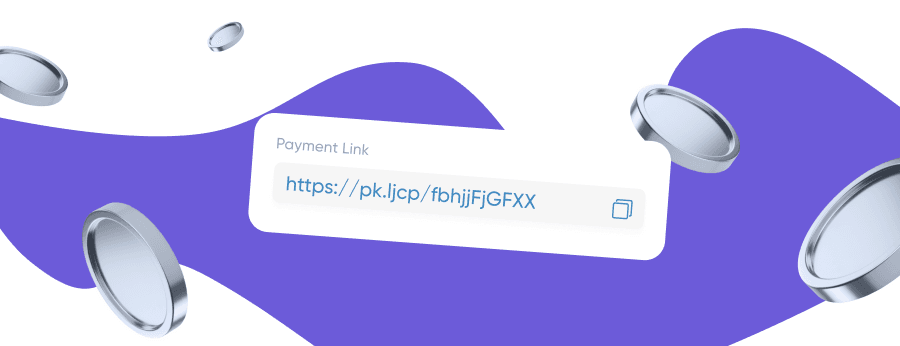
Customer opens secure checkout page, chooses payment method and complete the transaction. Payment link is a convenient way to get paid without coding and complex integration.
How payment links work
Payment links work simply:
Merchant enters payment details
The merchant logs into their payment provider dashboard and inputs the transaction parameters, such as the amount, description, and currency.
Provider generates payment link
The payment gateway automatically creates a unique payment link associated with a dedicated, secure checkout page for that specific transaction.
Business shares the link
The business sends the payment link directly to the customer via various messaging channels, such as email, SMS, WhatsApp, or social media.
Customer opens checkout page
The customer clicks the received link, which safely opens the secure payment page displaying the transaction details.
Customer chooses payment method
The customer selects their preferred way to pay—such as a credit/debit card, digital wallet, or direct bank transfer—and submits the payment details.
Processor processes transaction
The payment processor encrypts the data, conducts fraud checks, and forwards the authorization request through the relevant banking networks.
Business monitors status
Upon transaction completion, the business receives immediate notification and can view the updated payment status inside their account dashboard.
Payment gateways and payment processors ensure security. API allows integrate payment links into CRM or portal. Payment link can be sent to multiple customers through multiple channels. Learn more about the infrastructure in our payment gateway article.
Before you send a payment link: what to set up
Before you send payment links, prepare:
Choose payment provider and dashboard
Select a suitable payment service provider and log into your merchant dashboard to access the administrative panel.
Create a payment link
Navigate to the payment tools section within the dashboard and choose the option to generate a new payment link.
Specify amount, currency and details
Enter the exact transaction amount, select the required currency, and add relevant payment details or descriptions.
Add invoice number and recipient details
Attach a unique invoice number and fill in the customer or recipient information for proper accounting and record-keeping.
Set expiry and reuse rules
Configure the link's expiration timeframe and determine whether it can be reused for multiple payments or single use only.
Customize branding and payment button
Apply your company logo, brand colors, and customize the call-to-action button to match your brand identity.
Check tax and commissions
Review applicable sales taxes, VAT, and processing commissions before finalizing and sharing the link with the customer.
Create payment links can be done in a couple of minutes. Coding required — no. Generate custom payment links for every customer.
How to send a payment link to a customer
Send payment link can be done through different channel:
Send payment link with invoice and payment request.
SMS
Short message with url and amount.
WhatsApp / Messenger
Convenient for freelancers and service providers.
Invoice
Insert payment link into invoice.
CRM Integration
Automatically send payment links through system integration.
QR Code
Ideal for offline meetings and physical touchpoints.
Create and share payment links through dashboard — simply copy URL and send it to recipient. Use payment links for fast payment collection.
What to include when sending the link
When sending payment link, include:
- Business name.
- Amount and currency.
- Reason for payment, such as service, invoice, order.
- Invoice or order number.
- Due date or expiry.
- Available payment method.
- Refund and cancellation policy.
- Official support contact.
- Short security reminder.
Never ask for card details in a message — this is dangerous. Payment details must be entered only on secure checkout page. Create payment links with transparent conditions.
When payment links are useful for businesses
Payment links are useful for:
One-off payment for services
Quick and straightforward single charge for provided services.
Deposit and prepayments
Secure partial upfront payments to book services or confirm orders.
Invoice and bills
Attach payment links directly to digital billing documents for easy settlement.
Remote sales and manual orders
Accept payments for custom orders placed over the phone or email.
Support-led recovery
Collect payment right after resolving customer issues during support interactions.
Social and chat sales
Close deals directly in social media messages, messengers, or live chats.
Subscription or recurring payments
Automate regular billing cycles and membership fees if supported by your provider.
Donation and events
Easily collect donations or ticket fees for conferences, webinars, and charity events.
Use cases for payment links include freelancers, service providers, small business and e-commerce. Payments without a website are the main advantage of payment links. For online stores, check our ecommerce payment gateway.
Are payment links safe for customers?
Payment links are safe if:
- Provider is reputable and payment gateway with PCI DSS.
- The link leads to secure checkout page with HTTPS.
- Brand and branding are recognizable.
- Customer data is protected by encryption.
- Fraud and authentication, 3D Secure, work.
- Payment details are not requested in messages.
Secure checkout page and payment processor process transaction without business access to card data. Payment links are safe if customer checks url and sender. Read more about online payment security.
How to track and manage payment links after sending
After sending payment link, track status in dashboard:
- Paid — paid.
- Unpaid — waiting.
- Expired — expired.
- Failed payment — error.
Payment status and reporting help streamline payment collection. Invoice and order are matched automatically. Admin can deactivate the link, resend or reminder. Navigate through dashboard for viewing transaction history.
How to choose a payment link provider
Choosing a payment link provider — checklist:
Payment Methods
Support for diverse options, including credit/debit cards, digital wallets, bank transfers, and regional local payment methods.
Fees and Currency
Transparent transaction fees, competitive processing rates, and multi-currency support for international payments.
Settlement Timing
Fast and reliable payout schedules to ensure smooth cash flow and timely transfer of funds to your merchant bank account.
Security and Compliance
Enterprise-grade encryption, PCI DSS compliance, tokenization, and built-in anti-fraud mechanisms to protect transactions.
Branding and Customization
Customizable payment interfaces featuring company logos, brand colors, and tailored messaging to maintain brand identity.
Dashboard and Reporting
Real-time monitoring, comprehensive analytics, transaction tracking, and automated financial reconciliation reports.
Link Controls
Flexible link settings, including expiration timeframes, manual deactivation, usage limits, and single/multi-use rules.
API and Integration
Seamless connection with business portals, CRM systems, and accounting software via robust APIs and webhooks.
Support and Onboarding
Dedicated customer support, structured merchant onboarding processes, and clear technical documentation.
Payment gateway must support multiple channels, local payment methods and international payment. For cross-border needs, explore our international payment gateway.
Common mistakes to avoid when sending payment links
Mistakes when sending payment link:
- Vague message — it is unclear what to pay for.
- Wrong amount or currency.
- No invoice or order context.
- No expiry — the link is active forever.
- No support contact.
- Suspicious shortened links — use full URL.
- Asking for card data in a message.
- Duplicate links for one invoice.
- No follow-up after failed payment.
Use payment links correctly — and get paid faster.
Simplify your remote sales with fast and secure payment links — explore our versatile business solutions
Online Payment Company #1
Online payment solutions for all types of businesses since 2019


