What Does Pending Payment Mean? Pending Transaction Guide


A pending payment means the transaction has started but is not yet completed or settled. The amount may be blocked in your account or awaiting confirmation from the bank, UPI network, or payment gateway. This guide explains pending payment and pending transaction status in India - for bank accounts, UPI apps, cards, and online checkouts.
Quick answer:
- Pending payment = transaction initiated, not yet completed or settled
- Pending transaction on bank account = amount temporarily blocked (authorization hold) until the bank confirms or releases it
- Typical processing time in India: UPI - seconds to a few minutes; IMPS - near-instant; NEFT - near real-time (24×7); debit/credit cards - 1–3 business days for final settlement
- You can usually cancel only while status is still "Pending" or "Processing" - not after "Completed"
- If pending longer than expected: note UTR/transaction ID and contact your bank or the merchant app
What Does Pending Payment Mean?
When a payment shows as pending, the transaction has been initiated but not yet completed. The money may be temporarily blocked in your account (authorization hold) or awaiting confirmation from the payment network, bank, or merchant.
Pending payments are common when:
- It is a first-time or high-value transfer requiring extra verification
- The payment was made outside bank working hours or during peak load (festive sales, weekends)
- The merchant or payment gateway has not yet confirmed receipt
- Cross-border or international transfers are involved
In most cases, pending status clears automatically once the bank or network confirms the transaction. If it lasts longer than the expected window for your payment method (see timeline table below), contact your bank or the platform with your UTR or transaction ID.
Turn "Pending" into "Settled" Faster
Pending Transaction: Causes, Bank Delays, and Card Processing Time
A pending transaction may take longer when payment is made using a debit or credit card but not yet settled by the merchant’s bank. The pending amount shows as “withheld” or “blocked” in the payer’s available balance. This block ensures sufficient balance when the final charge is processed.
Common causes include:
- Payment network delays between issuing and acquiring banks.
- Merchant authorization holds in hotels, fuel stations, or eCommerce platforms.
- Temporary system lags (like festive sales or weekends) or any other technical problems.
- Payment gateway maintenance or reconciliation issues.
In India, card transactions usually clear within one to three business days. NEFT (National Electronic Funds Transfer) and IMPS (Immediate Payment Service) transfers are typically completed within minutes, though NEFT processing can occasionally take up to 30 minutes. UPI (Unified Payments Interface) payments are the fastest, often completing within seconds unless there’s network congestion. For international platforms, eCheck or ACH payments can take up to five business days.

Most card-issuing banks automatically release the blocked amount once the merchant either completes the transaction or it expires due to non-confirmation.
What Does Pending Mean on a Bank Account?
When you see "Pending" in your bank account or mobile banking app, it usually means one of two things:
- Authorization hold - the bank has temporarily blocked the amount to ensure funds are available when the merchant finalizes the charge. The money has not left your account permanently yet.
- Processing in progress - the transfer (NEFT, IMPS, UPI, or card) is moving through the payment network and has not reached "Completed" or "Success" status.
Pending transactions appear in "Recent Activity" or "Transaction History" before they become final. They reduce your available balance but may not yet appear in your statement balance.
Important: A pending debit does not always mean the recipient has received the money. Wait for "Completed" or "Success" before assuming the payment went through.
How to Check the Status of a Pending Payment or Transaction
To avoid stress and speculation, it’s important to know how to track your payment’s progress. Payment status checking varies by platform and method, but the process is generally simple.
For a banking or credit card account:
Login
Log in to your online banking app or portal.
Navigate to History
Go to “Transaction History” or “Recent Activity.”
Check Status
Check if the transaction shows as “Pending,” “Processing,” or “Authorized.”
UTR Details
UTR means Unique Transaction Reference: note it for status tracking.
For eCommerce or SaaS platforms:
Access Orders
Open the app or website and go to “Orders” or “Billing” to see a pending transaction.
Check Payment Status
Look for payment status updates (e.g., “Awaiting Confirmation,” “In Progress”).
Verification
Contact your bank immediately using the order or transaction ID for manual verification.
Business owners using payment gateways such as PayPal or Paykassma can also track their payouts through the dashboard. The gateway shows status indicators such as “Initiated,” “On Hold,” “Processing,” or “Settled.”
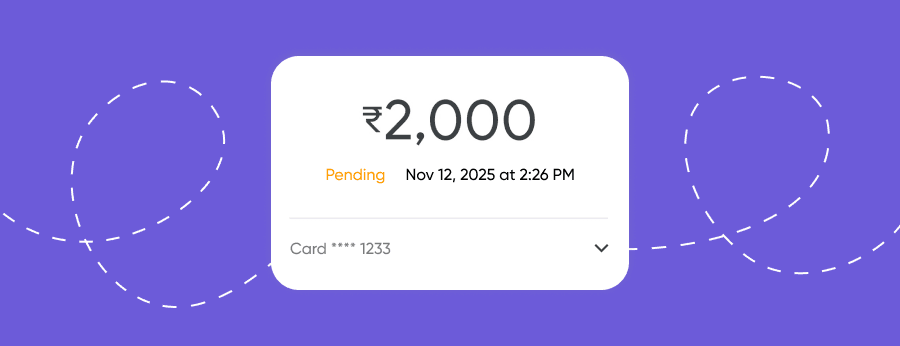
If a payment remains pending beyond the standard time, it usually means the recipient’s bank has not yet confirmed receipt. Contacting both parties—the bank and the platform—helps trace where the delay is happening.
How to Cancel or Manage Pending Payments Safely
Not all pending payments can be cancelled, but under certain conditions, users can stop or modify them before they are finalized. Understanding these conditions helps prevent duplicate charges or accidental payments.
Cancellation is possible when:
- The payment hasn’t been fully processed by the bank yet.
- The merchant hasn’t confirmed the transaction.
- Authorization holds have not yet been converted into final settlements.
Here’s how to proceed safely:
- Contact your bank’s customer support or visit a nearby branch immediately.
- If it’s a card transaction, request the bank to release the blocked amount.
- For UPI payments, use the reference number to raise a dispute in your payment app.
- For online stores, cancel your order via the transaction dashboard before it’s marked as “Settled”, or contact the support team.
Once the payment moves from pending to “completed,” cancellation options narrow. In that case, only the merchant can initiate a refund.
It’s always better to verify the payment destination before retrying, to avoid multiple pending charges. Some users mistakenly send a second payment when the first appears delayed, leading to double deductions and longer resolution times.
Difference Between Pending and Completed Transactions
Understanding the difference between pending and completed transactions helps manage financial expectations and prevent unnecessary disputes.
| Transaction Status | Meaning | Can Be Reversed? | Example |
|---|---|---|---|
| Pending | Transaction initiated but not yet confirmed | Yes, in most cases | Payment made on Sunday evening showing as “Processing” |
| Completed | Bank and merchant confirmed the transfer | No, unless refunded | Online order successfully paid and confirmed |
| Failed | Payment attempt declined or timed out | Not applicable | Card declined due to insufficient funds |
| Reversed | Funds returned to payer due to cancellation or error | Automatically refunded | Merchant canceled a pending charge |
A pending status is temporary and often resolves naturally. A completed status means the process is final, and the recipient has received the funds. Keeping an eye on this difference helps users take timely action when required. All of these statuses are available in your account overview.
Conclusion
Pending payments may be frustrating, but they are usually a normal part of the transaction process. Understanding how they work helps users make informed decisions and act quickly if delays arise. Whether you’re a freelancer awaiting a client’s transfer or an eCommerce seller monitoring customer payments, clear awareness of the pending process ensures smoother financial operations and improved customer trust.
Eliminate payment delays and ensure 99.9% transaction success rates
Online Payment Company #1
Online payment solutions for all types of businesses since 2019


